
Function · Handheld process designer · The one most WCS hard-code Built
Most warehouse control systems hard-code their RF and handheld flows: changing a goods-in, count or pick screen means an integrator code change and a redeploy. openWCS makes those flows configurable. A non-developer designs the mobile-device operator process visually, in a live phone-frame preview, then publishes it as the active version, and it runs offline on the handheld PWA. No code, no integrator, no redeploy.
Why this is different
The handheld operator flow is the part almost every WCS freezes in code. openWCS treats it as configuration you own: design it, branch it, verify scans against master data and compute decisions, all without a developer. Here is the contrast, point by point.
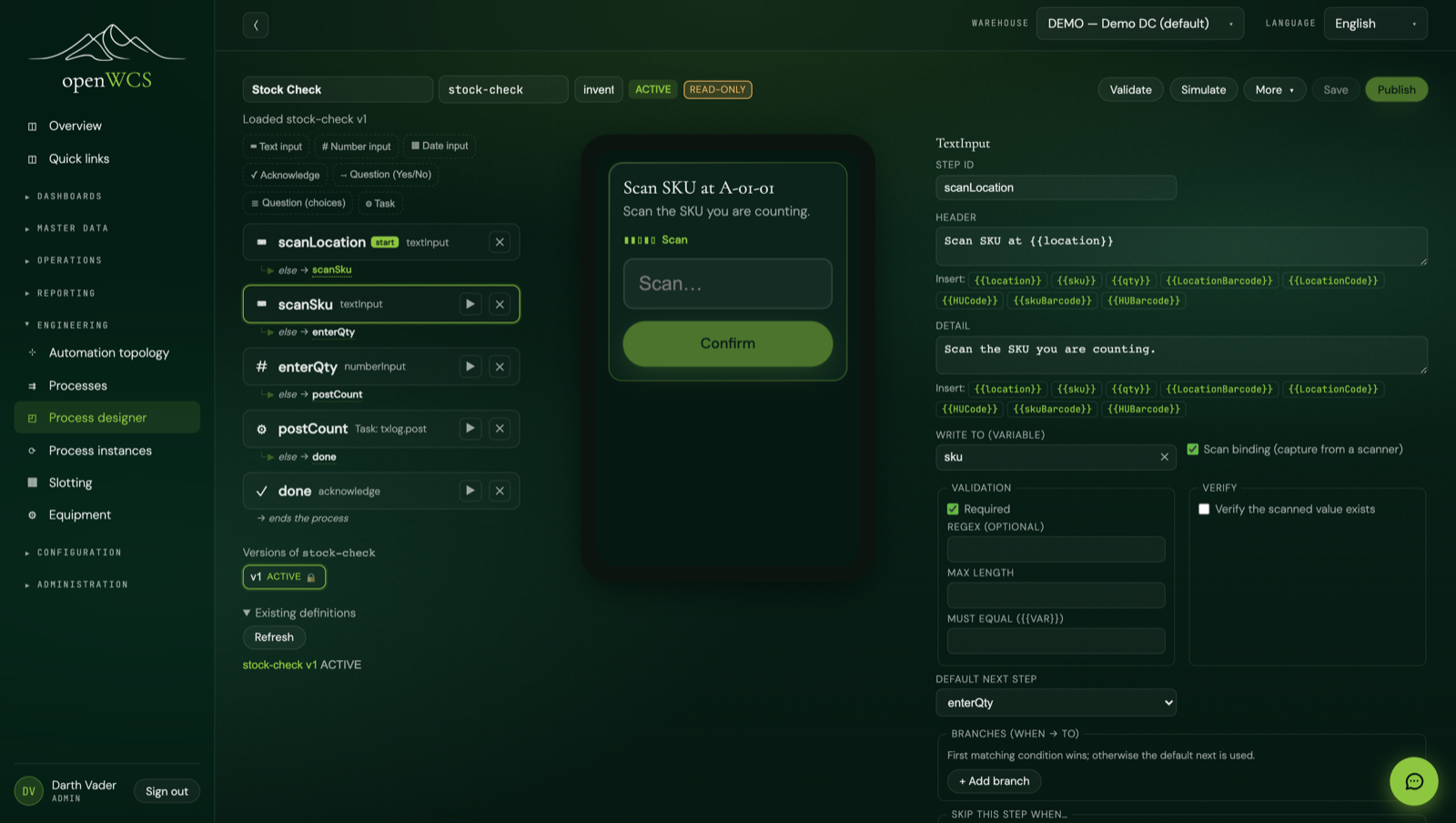
The usual approach: changing a goods-in, count or pick flow is an integrator ticket, a code change and a release window. openWCS: a non-developer designs the flow visually in a WYSIWYG editor with a live phone-frame preview and a real execution-graph view (branches and detected loops), then publishes the new active version. Draft, duplicate, JSON import/export, and read-only instance monitoring come with it.
The usual approach: a chatty client that needs the server for nearly every tap. openWCS: a client-driven runtime where the handheld renders screens and evaluates branches offline, queuing only the real server task checkpoints. A connection blip or a device swap mid-process resumes from the last confirmed checkpoint instead of starting over.
The usual approach: validation and arithmetic live in custom handler code. openWCS: a scan is resolved against master data with a per-kind guided dialog (a SKU code with several units of measure prompts the operator to pick one), and a no-code compute step derives values and decisions with a safe expression engine, for example comparing a counted quantity to the expected one and triggering a recount within tolerance.
The usual approach: power means raw custom code with whatever access it grants itself. openWCS: task steps pick from a curated server library that runs with the operator's forwarded identity, so the same RBAC applies, and no arbitrary code runs. Two controlled escape hatches exist for the rare edge case: a sandboxed script step (locked-down GraalJS, no host, network or filesystem) and a design-time AI task-assist that drafts for human review and never auto-deploys.
How it works
A process is a flow of handheld screens (what the operator sees) and task steps (work the server performs). You design it visually on a node canvas, the preview renders the real handheld, and the canvas draws the actual execution graph, branches and loops included. When it validates, you publish it.
Assemble handheld screens from a palette: text, number and date input, an acknowledge step, a yes/no question, and a multiple-choice question. A live phone-frame preview shows exactly what the operator will see as you build.
The node canvas renders the true execution graph, not just a list of steps: you draw the flow by linking nodes, branches (when a condition is met, jump to a step) and detected loops are drawn out, and a Tidy button auto-lays-out the graph, so you can read the whole path before anyone runs it.
Validate flags dangling branches and broken references. Simulate walks the flow with sample answers so you can see where each path leads, then publish promotes the draft to the one active version operators receive.
Each step writes into a typed data object you can reuse via placeholders in later screens. Branches route on a condition (when → to) and steps can be skipped conditionally, so one process covers several real cases.
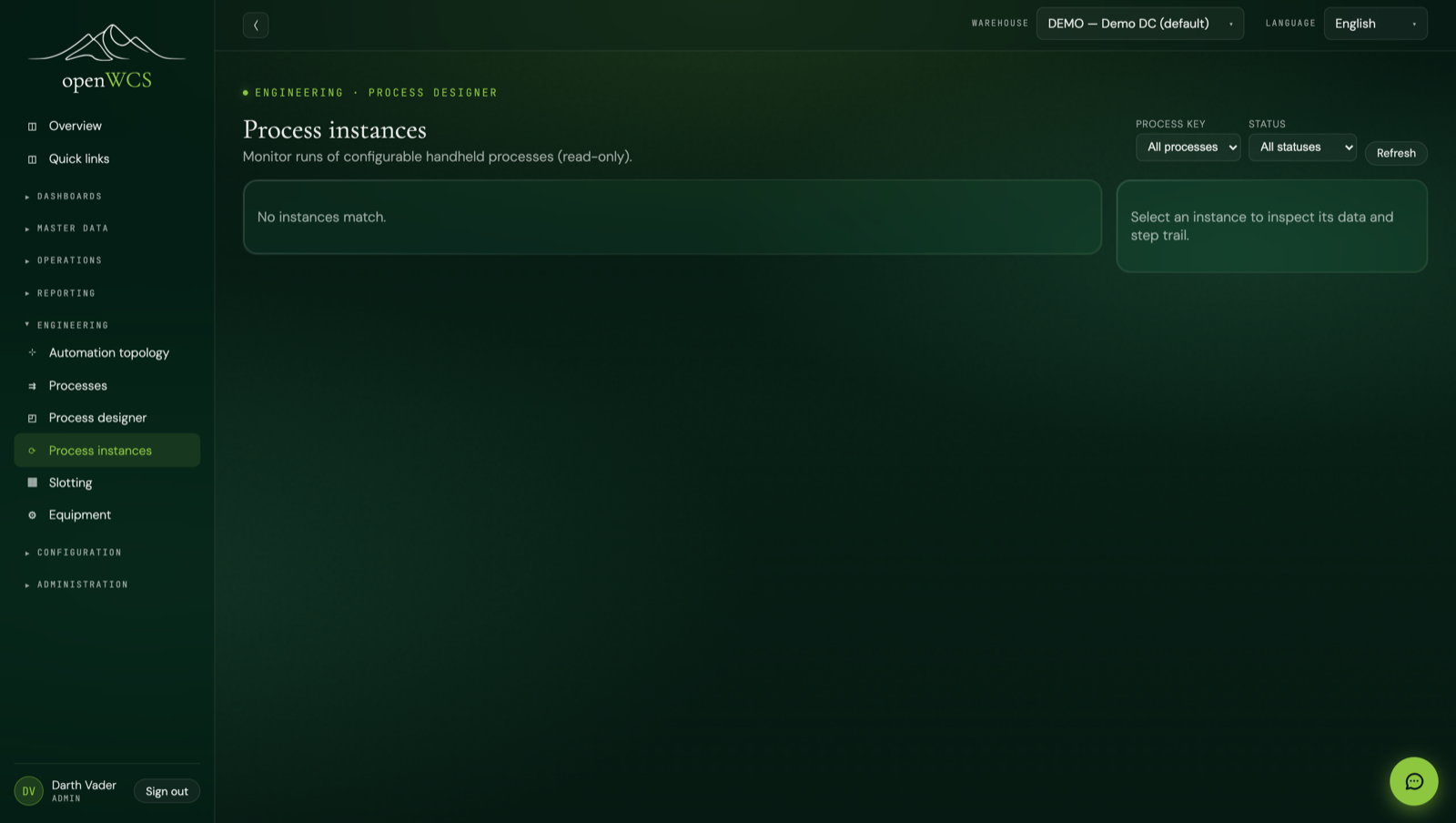
Exactly one version of a process is ACTIVE at a time; the rest are drafts. Duplicate or clone a process to start a variant, import and export the whole thing as JSON, and watch running instances read-only as they progress.
Task steps pick from a curated server-side library that calls existing, audited openWCS services with the operator's forwarded identity, so the same RBAC applies. The designer never runs arbitrary code, it composes vetted tasks.
Offline by design
The runtime is client-driven. The handheld PWA renders the screens, captures input and evaluates branches locally, with no round trip per tap. It queues a server checkpoint only at task steps (the real work), so a connection blip or a device swap mid-process resumes cleanly.
Screens and branch logic run on the device. The operator keeps moving through input, acknowledge and question screens even when the network drops; only task-step checkpoints need the server.
Because checkpoints are queued at task steps, a process resumes after a connection blip and can even be picked up on a different device, continuing from the last confirmed checkpoint rather than starting over.
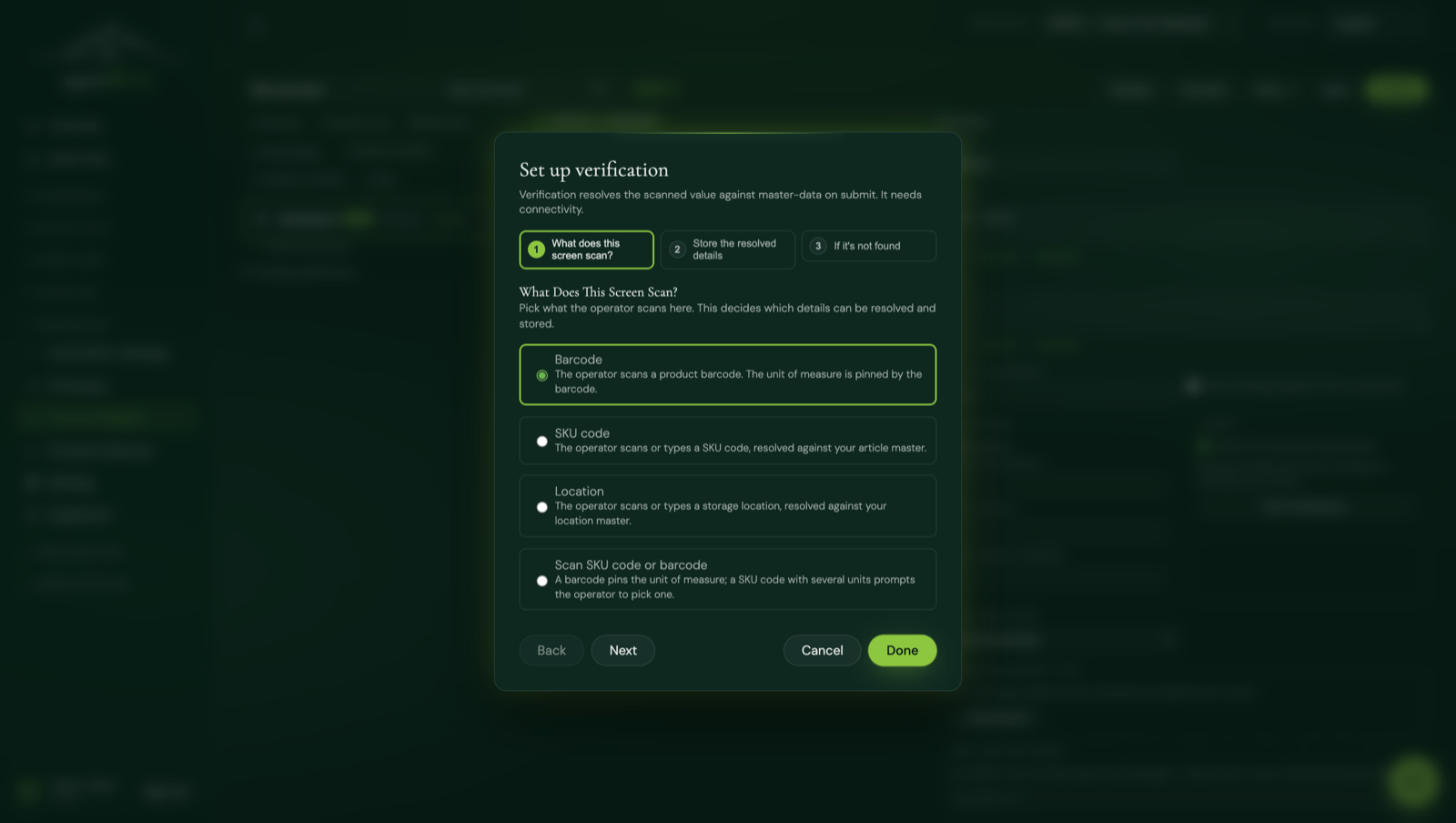
A scanned location, SKU, barcode, order or ASN is resolved against master data (or order records) to confirm it exists and to pull its linked ids. A SKU code with several units of measure prompts the operator to choose one; a barcode pins the UoM directly. The resolved value can be stored whole or drilled to a single property. Not found re-prompts or routes.
Area-scoped mobile work
Master data carries first-class areas that nest: a building, a level, an aisle range, a zone. An operator picks (or scans) the area they are working on the handheld, and the server hands out only the count lines and replenishment tasks whose location sits inside that area, all the way down its sub-areas. No more walking the whole building.
Areas nest inside areas, so a level can contain aisles and an aisle can contain zones. Each location belongs to an area, and an area's scope is itself plus every sub-area beneath it, resolved in one query.
When the handheld asks for the next piece of work, the server reserves exactly one line for that operator using a database skip-locked claim. Two people counting the same area each get their own line, never the same one. The reservation becomes a firm claim the moment the first count or move is posted.
An explicit release task frees any line the operator picked up but did not start, and a background sweeper reclaims reservations left behind if the app is closed or the device crashes. Abandoned work never stays stuck to one operator.
This is built from curated tasks you drop into your own flow: a step that fetches the next count line or replenishment task for the chosen area, and a release step on the exit branch. A reference "Stock Check by Area" process ships ready to run: pick an area, count line after line, and release on the way out.
RF resilience
On a warehouse floor a handheld drops its Wi-Fi, runs flat, or gets handed to the next shift. The runtime records every screen advance to the server, so the operator picks up on the exact step they were on, with the data they had already entered, no matter which device they sign back in on. Supervisors can see who is on what, move work between people, and replay a run.
Every screen advance is written to a durable on-device queue and posted to the server, which keeps the precise current step and the data so far. A refresh, a switched device or an RF re-login resumes on that exact step, not back at the last task. The operator menu has a "Resume in-progress work" launcher for their own running flows.
A supervisor RF-users screen lists the active operators on handheld processes, the process each is running and the current workstep. A reassign action moves an in-progress run to another operator, keeping the original starter on record. Good for breaks, shift changes and a stuck handheld.
A replay viewer steps through exactly what an operator saw and entered, using the same screen renderer as the live handheld. And the operator's username is carried into every task, so every resulting stock transaction is attributed to the person who did it.
Three fulfilment tasks ship ready to drop into a flow: book picked stock to an order line, load an order from a scanned code, and an exception step to reduce stock for a stated reason (which refuses to take more than is on hand, so stock never goes negative).
Two controlled escape hatches
Most processes need only the curated tasks. For the rare case that does not fit, there are two opt-in, gated escape hatches, both designed so nothing arbitrary ever runs unreviewed.
A sandboxed script step runs on a locked-down GraalJS engine: no host access, no network, no filesystem, with CPU and time limits. It is gated and opt-in, for the case a curated task cannot express.
A design-time AI assist maps a plain-English description to a curated task, or drafts a snippet for a developer to review. It is a design aid only: it never auto-deploys generated code.
This complements the BPMN process engine, it does not replace it. BPMN is backend orchestration of the warehouse; this is the operator-facing handheld flow. Different layer, same warehouse.
At a glance
  designer (WYSIWYG) ─► screens + task steps ─► validate ─► simulate ─► publish (active)
                                                                              │
   handheld PWA pulls active version
        │
        ├─ screen   ─► input / acknowledge / question     (walked offline, branches local)
        ├─ decision ─► if / else-if / else routing        (walked offline, no server call)
        ├─ scan     ─► resolve vs master data ─► confirm exists, pull ids, pick UoM
        ├─ task step ─► checkpoint ─► curated library ─► audited service (forwarded identity, RBAC)
        └─ resume after blip / device swap ─► continue from last checkpoint
Built & open
The designer, the offline runtime and the curated task library are in the repo today. Build a handheld process, simulate it, publish it as the active version, and watch instances run. Read it, run it, change it.